Open a transformer
and watch its organs work.
A model-anatomy inspector — not a chat client.
Point Spectra Scope at a transformer and it opens the model up: tokenizer, embeddings, attention, experts, MLP, output head — each stage working on a real prompt, with live traces, honest gauges, and co-operative viewing you can share over the web.
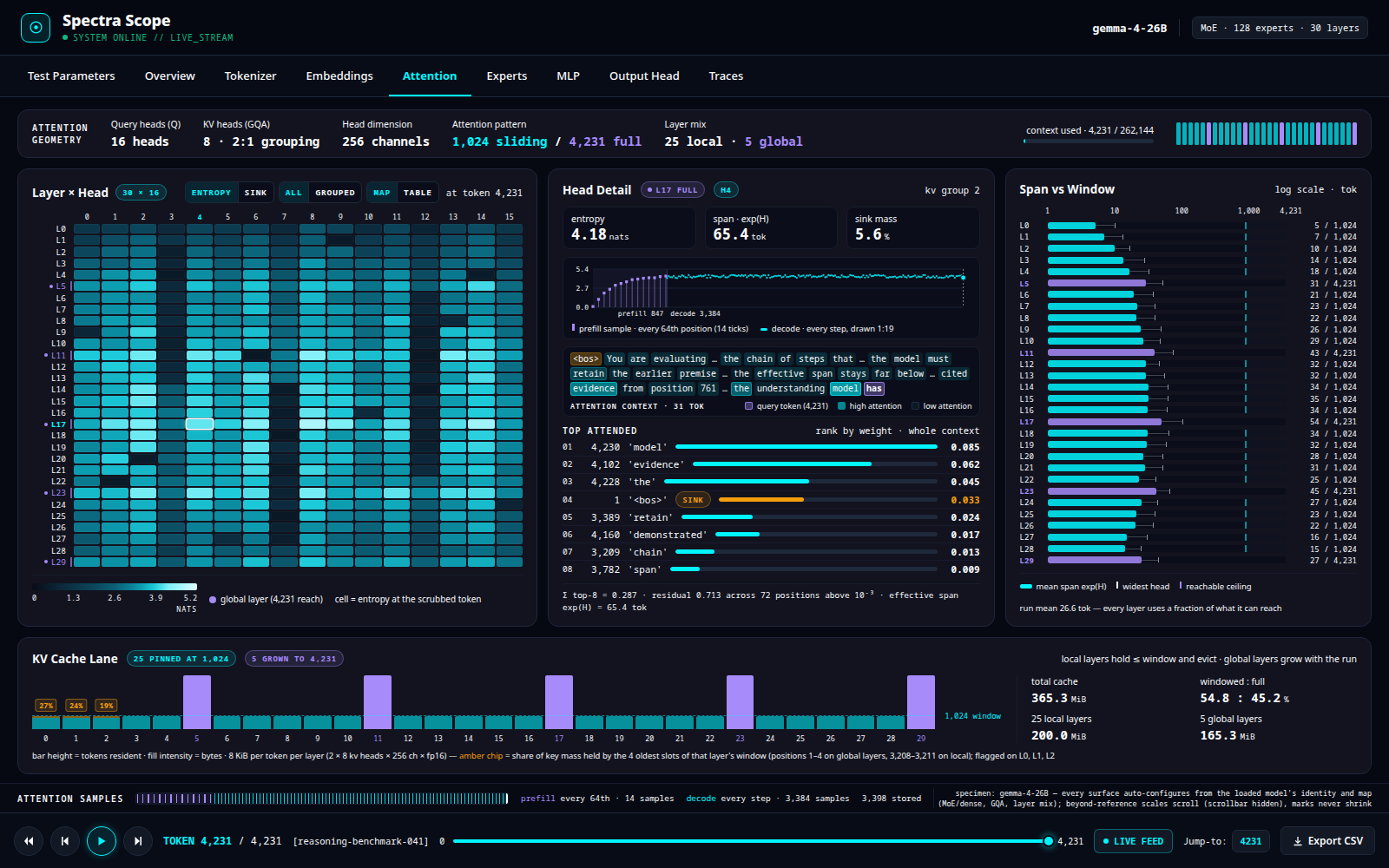
The computation, not a summary of it.
Spectra Scope loads a model in-process and hangs forward hooks on its modules, so what you see is the real thing — the attention a head actually paid, the experts a token actually routed to, the residual stream as it moves layer to layer. A transport bar scrubs the run token by token; every tab re-renders at the scrubbed position.
Real forward hooks
Taps ride the model's own modules. No proxy, no reconstruction — the trace is the computation that happened.
Gauges that don't lie
Entropy in nats, span in tokens, KV bytes, expert load. Absent data reports as absent — never faked, never rounded into a story.
Co-operative viewing
Hand out a link with a control or observe role. Every cursor is visible to everyone; watchers follow the driver's scrubber.
Face and engine, decoupled
The UI reaches the model over a single URL, so they can sit on different machines. No operator path is ever hardcoded.
Plain static face
Vanilla HTML/CSS/JS, no framework, no build step. Open it from a file, a static server, or the desktop shell.
Run it your way
A Tauri 2 native app, a browser tab, or a shared session — same face, same engine, your choice of surface.
Nine tabs, one model, from input to output.
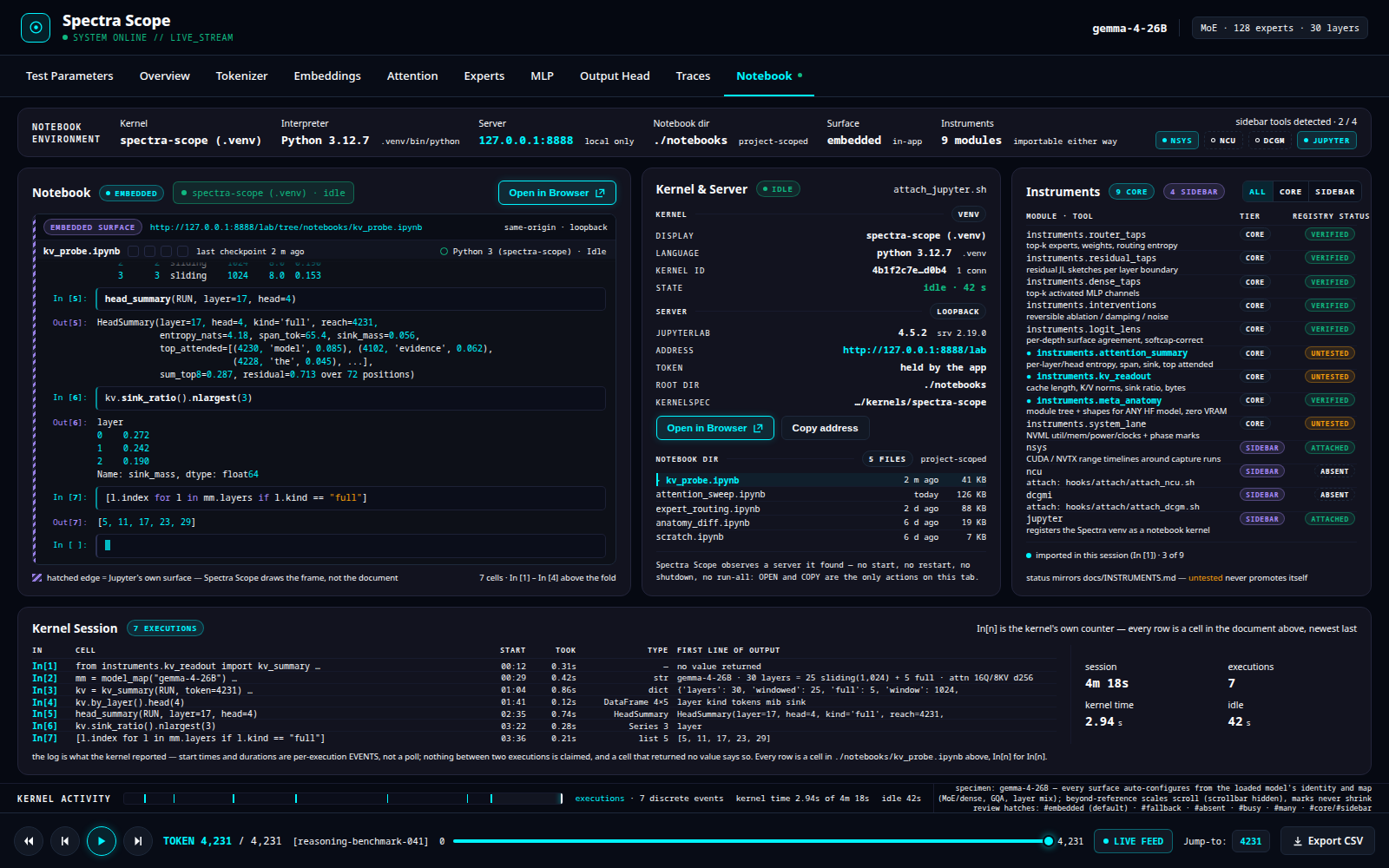
Each tab is a purpose-built instrument for one organ of the transformer. A few of them:
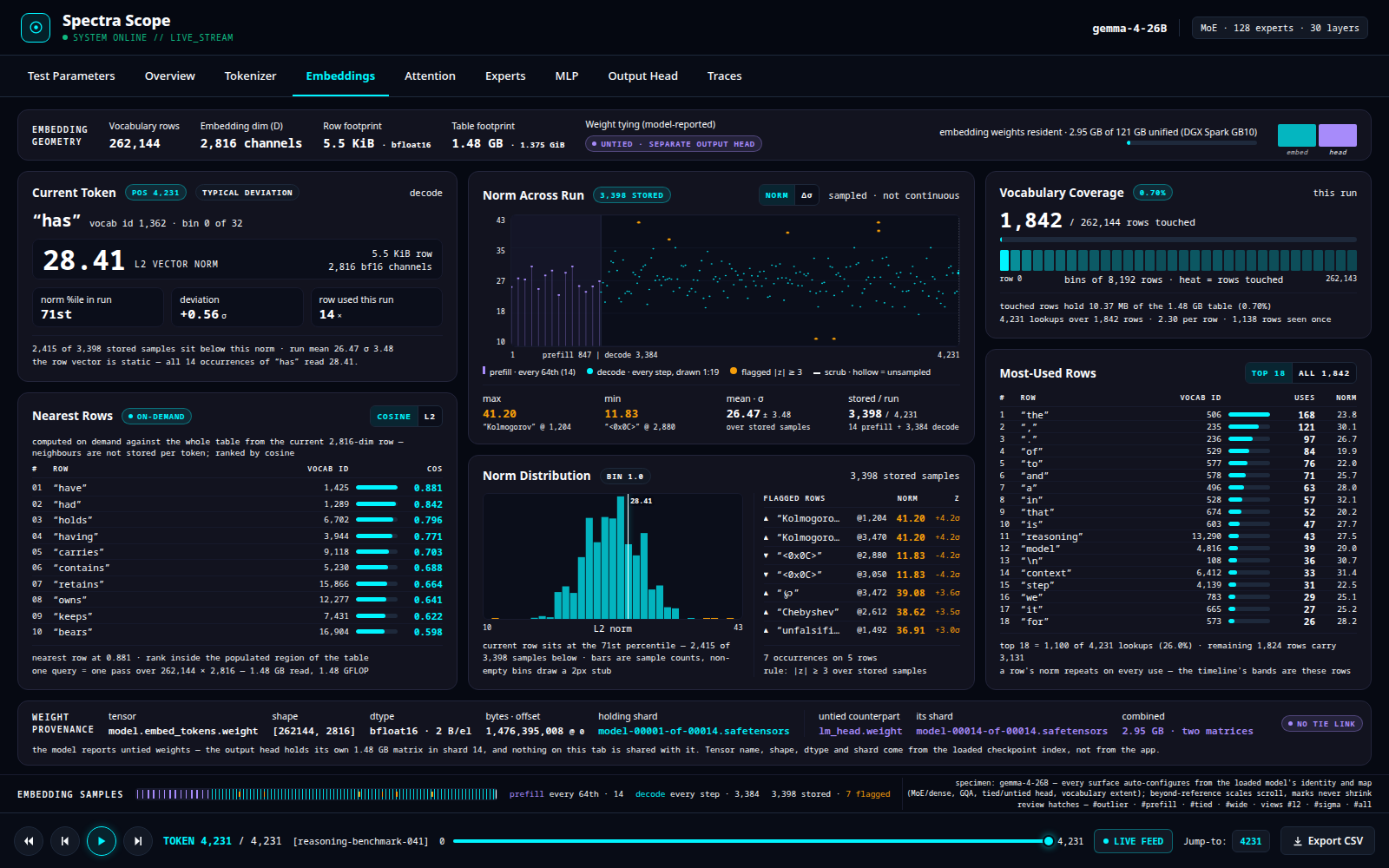
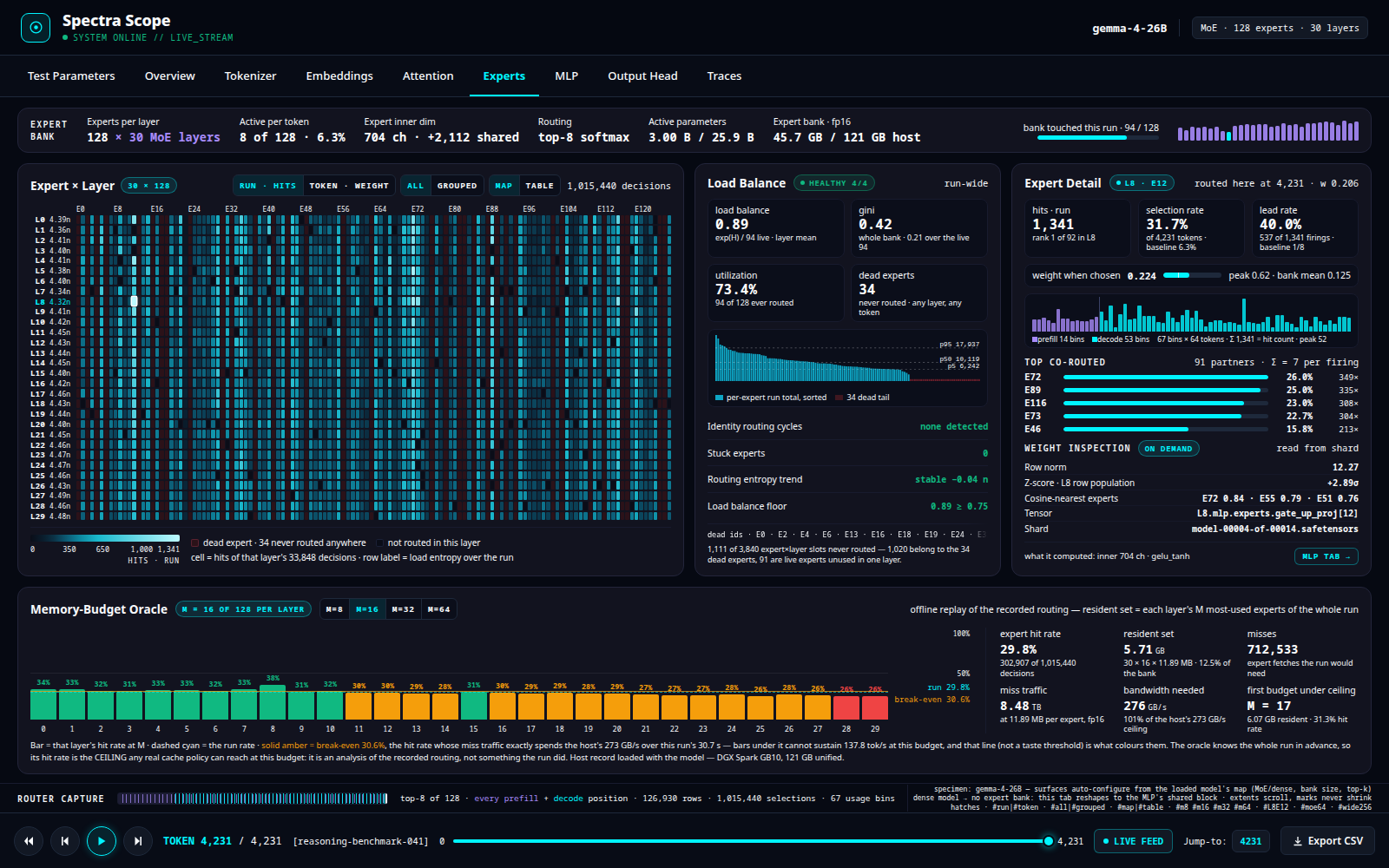
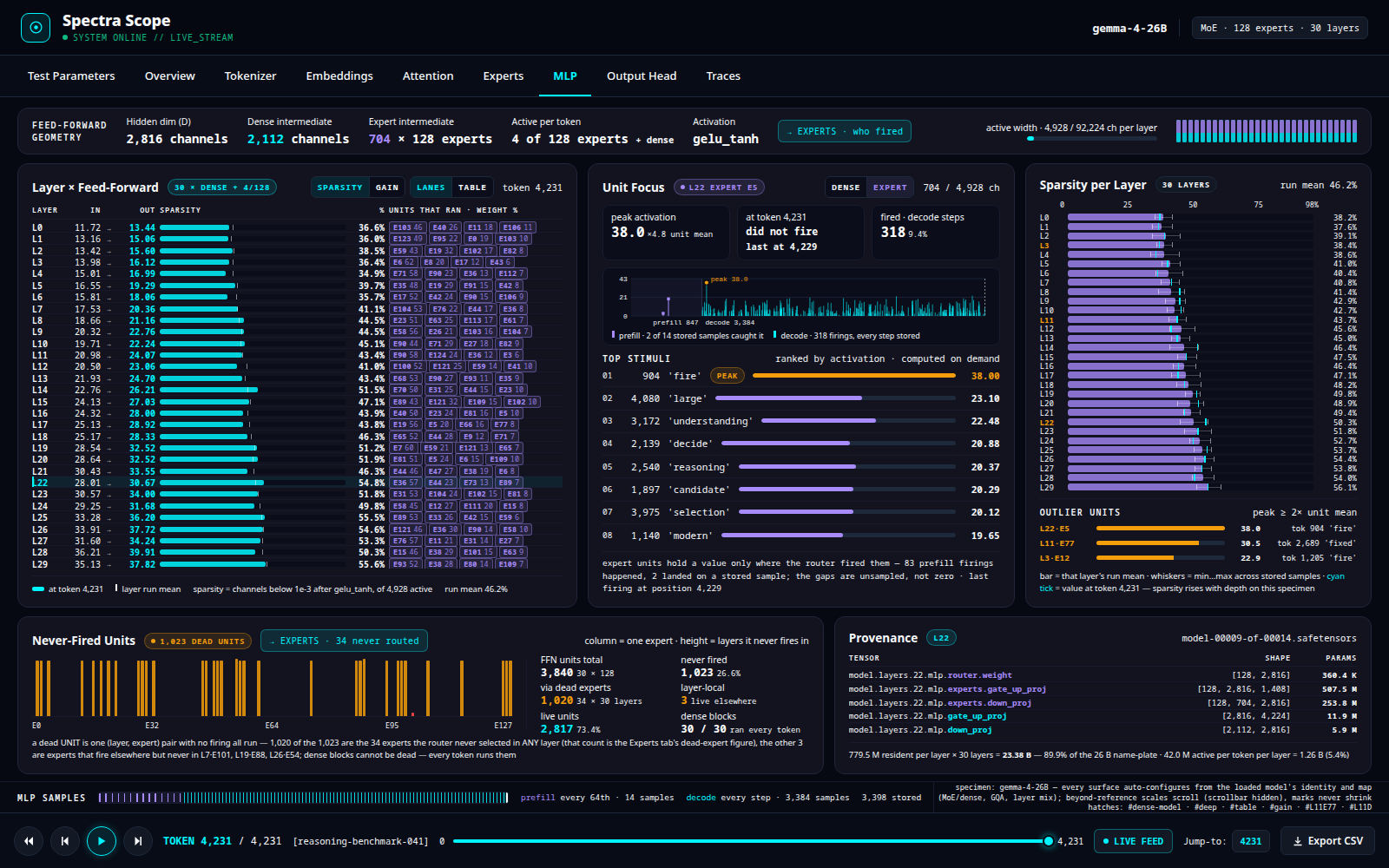
Two halves, connected by a URL.
The application reads traces; the engine makes them. They meet at one address you can point anywhere.
app/ — the face
Nine-tab UI, a Rust collab-server that serves it and relays co-op sessions, and a Tauri 2 desktop shell.
hooks/ — the engine
A FastAPI service that loads a model, attaches capture taps, and serves the traces. Runs on GPU or CPU.
Three commands to a running scope.
# 1 · engine environment (creates ./venv)
scripts/setup.sh

# 2 · start the engine, pointed at your models
SPECTRA_MODEL_ROOTS=/path/to/models \
  venv/bin/python -m hooks.engine.engine --port 8940

# 3 · serve the face and open it
cargo run --manifest-path app/collab-server/Cargo.toml -- \
  --face app/face --host 127.0.0.1 --port 8937
# → open http://127.0.0.1:8937 and set the engine URL in the Options tab
Full install, desktop build, and configuration are in the repository README.